


Managing your finances can feel overwhelming, especially when you want to focus on growing your business or personal goals. Choosing the right accounting software can make a huge difference in saving you time, reducing stress, and keeping your money matters organized.
But with so many options out there, how do you know which one fits your needs best? This guide breaks down the top 10 accounting software choices, helping you find the perfect match to simplify your financial tasks and give you peace of mind.
Keep reading—you’re about to discover tools that can transform the way you handle your accounts.
Criteria For Choosing Accounting Software
Choosing the right accounting software helps manage finances with ease. It saves time and reduces errors. Many options exist, so knowing what to check is key. Focus on what fits your business needs and budget.
Ease Of Use
Software should be simple to navigate and understand. A clear interface helps users complete tasks quickly. Look for tools that need little training. Easy software reduces frustration and improves productivity.
Features And Functionality
Check if the software offers all needed tools. Common features include invoicing, expense tracking, and reporting. Advanced options may include payroll and tax support. Make sure the software matches your business size and type.
Pricing And Plans
Compare costs and what each plan includes. Some software offers free versions with basic functions. Paid plans might add more users or features. Choose a plan that fits your budget and growth plans.
Customer Support
Reliable support helps solve problems fast. Look for options like chat, phone, or email help. Good support saves time and avoids stress. Check reviews to see how users rate the service.
Integration Capabilities
Software should work well with other tools you use. Common integrations include banks, payment processors, and CRM systems. Smooth integration saves time and cuts errors. Verify that your software connects easily with your current apps.
Quickbooks Online
QuickBooks Online is a popular accounting software designed for small and medium businesses. It helps manage finances, track expenses, and create invoices easily. The cloud-based platform means users can access data anywhere, anytime. Its user-friendly interface suits those with little accounting experience.
Key Features
- Automated expense tracking and bank reconciliation
- Customizable invoices and payment reminders
- Real-time financial reporting and dashboards
- Multi-device access with mobile app support
- Integration with many third-party apps
- Payroll management and tax filing options
- Multi-currency support for international business
Ideal Users
Small business owners managing daily finances. Freelancers needing simple invoicing tools. Accountants supporting multiple clients remotely. Businesses wanting cloud access for teams. Companies seeking easy payroll and tax solutions.
Pros And Cons
- Pros: Easy to use; cloud-based flexibility; strong reporting; wide integrations.
- Cons: Monthly subscription fees; occasional learning curve; some features locked in higher plans.
Xero
Xero is a popular cloud-based accounting software designed for small to medium businesses. It helps manage finances, track expenses, and simplify tax filing. Its user-friendly interface makes accounting less stressful for non-experts.
Xero offers real-time financial data and easy collaboration with accountants. It works on multiple devices, allowing access anytime, anywhere. This flexibility suits businesses with remote teams or on-the-go owners.
Key Features
- Automatic bank feeds for up-to-date transactions
- Invoicing and payment tracking
- Expense management and receipt capture
- Payroll processing for multiple employees
- Inventory tracking with real-time updates
- Project and time tracking tools
- Integration with over 800 third-party apps
- Robust reporting and financial dashboards
Ideal Users
Small business owners who want simple, efficient bookkeeping.
Freelancers needing easy invoicing and payment tracking.
Startups requiring scalable accounting solutions.
Accountants managing multiple client accounts.
Pros And Cons
Pros:
- Intuitive design and easy navigation
- Strong mobile app support
- Good customer service and community resources
- Regular updates with new features
Cons:
- Can be costly for larger teams
- Some features require add-ons
- Learning curve for advanced reports
- Occasional syncing delays with banks
Freshbooks
FreshBooks offers simple tools for small business accounting and invoicing. It helps track expenses, send invoices, and manage projects easily. Many users find it ideal for saving time on financial tasks.
Freshbooks: An Overview
FreshBooks is a popular accounting software designed for small businesses and freelancers. It simplifies billing, invoicing, and expense tracking. This tool saves time and reduces errors. Users appreciate its easy-to-use interface. FreshBooks helps keep financial tasks organized and clear.
Key Features
- Simple invoicing with customizable templates
- Automatic expense tracking and categorization
- Time tracking for projects and tasks
- Online payment options for faster billing
- Reports on profit, loss, and taxes
- Mobile app for managing accounts on the go
- Client management and communication tools
Ideal Users
FreshBooks suits freelancers and small business owners best. It works well for consultants, designers, and marketers. Users who want easy billing and time tracking find it helpful. Those with little accounting knowledge benefit the most. FreshBooks fits businesses needing simple financial management.
Pros And Cons
- Pros: User-friendly, quick setup, good customer support
- Strong invoicing and payment features
- Mobile app allows work anywhere
- Cons: Limited advanced accounting features
- Costs increase with more clients
- Not ideal for large businesses
Sage Business Cloud Accounting
Sage Business Cloud Accounting is a popular choice for small businesses. It offers a simple way to manage finances online. The software helps track income, expenses, and taxes. Users can access it anytime from any device. Sage aims to make accounting less stressful and more accurate.
Key Features
- Invoice creation and sending
- Real-time bank transaction tracking
- Automatic VAT calculations
- Cash flow management tools
- Mobile app for on-the-go access
- Simple financial reports
- Multi-currency support
Ideal Users
Small business owners with basic accounting needs. Freelancers who want easy invoicing and expense tracking. Startups needing simple financial management without complex features. Users who prefer cloud-based software accessible from anywhere. Those who want affordable accounting tools without too many extras.
Pros And Cons
Pros:
- Easy to use with a clean interface
- Good customer support
- Affordable pricing plans
- Useful mobile app
Cons:
- Lacks advanced features for larger businesses
- Limited customization options
- Some users report slow updates
- Not ideal for complex inventory management
Wave Accounting
Wave Accounting is a popular free software designed for small businesses and freelancers. It offers essential tools to manage finances easily. Users can track income, expenses, and invoices without extra costs.
The platform is simple to use and works well on both desktop and mobile devices. It helps business owners keep their books organized without complicated features.
Key Features
- Free accounting and bookkeeping tools
- Invoice creation and management
- Expense tracking with receipt scanning
- Bank account and credit card integration
- Basic reports for profit and loss
- Payroll services (paid add-on)
- Multi-currency support
- Mobile app for on-the-go access
Ideal Users
Wave Accounting suits small business owners with simple needs. Freelancers and sole proprietors find it very helpful. It works best for those who want free software without complex features.
Businesses with fewer transactions or limited budgets benefit the most. Users who need basic bookkeeping and invoicing can rely on Wave.
Pros And Cons
- Pros: No cost for core features, easy setup, good invoice tools.
- Pros: User-friendly interface, integrates with bank accounts smoothly.
- Cons: Limited advanced features, not ideal for large businesses.
- Cons: Payroll is an extra paid service, no inventory management.
- Cons: Customer support can be slow at times.
Zoho Books
Zoho Books is a cloud-based accounting software designed for small businesses. It helps manage finances, track expenses, and send invoices. The software offers an easy-to-use interface and useful tools for business owners.
Zoho Books supports multiple currencies and integrates well with other Zoho apps. It ensures smooth financial management without complex setups. Many users appreciate its automation features that save time and reduce errors.
Key Features
- Invoicing and billing with customizable templates
- Expense tracking and bank reconciliation
- Automated payment reminders and online payments
- Project time tracking and billing
- Financial reports and tax compliance tools
- Multi-currency support and inventory management
- Mobile app for accounting on the go
Ideal Users
- Small business owners
- Freelancers and consultants
- Startups needing simple accounting tools
- Businesses seeking cloud-based solutions
- Users wanting integration with other Zoho products
Pros And Cons
- Pros: User-friendly interface, strong automation, affordable pricing
- Pros: Good customer support and regular updates
- Cons: Limited features for large businesses
- Cons: Some advanced features require higher plans
- Cons: Learning curve for users new to accounting
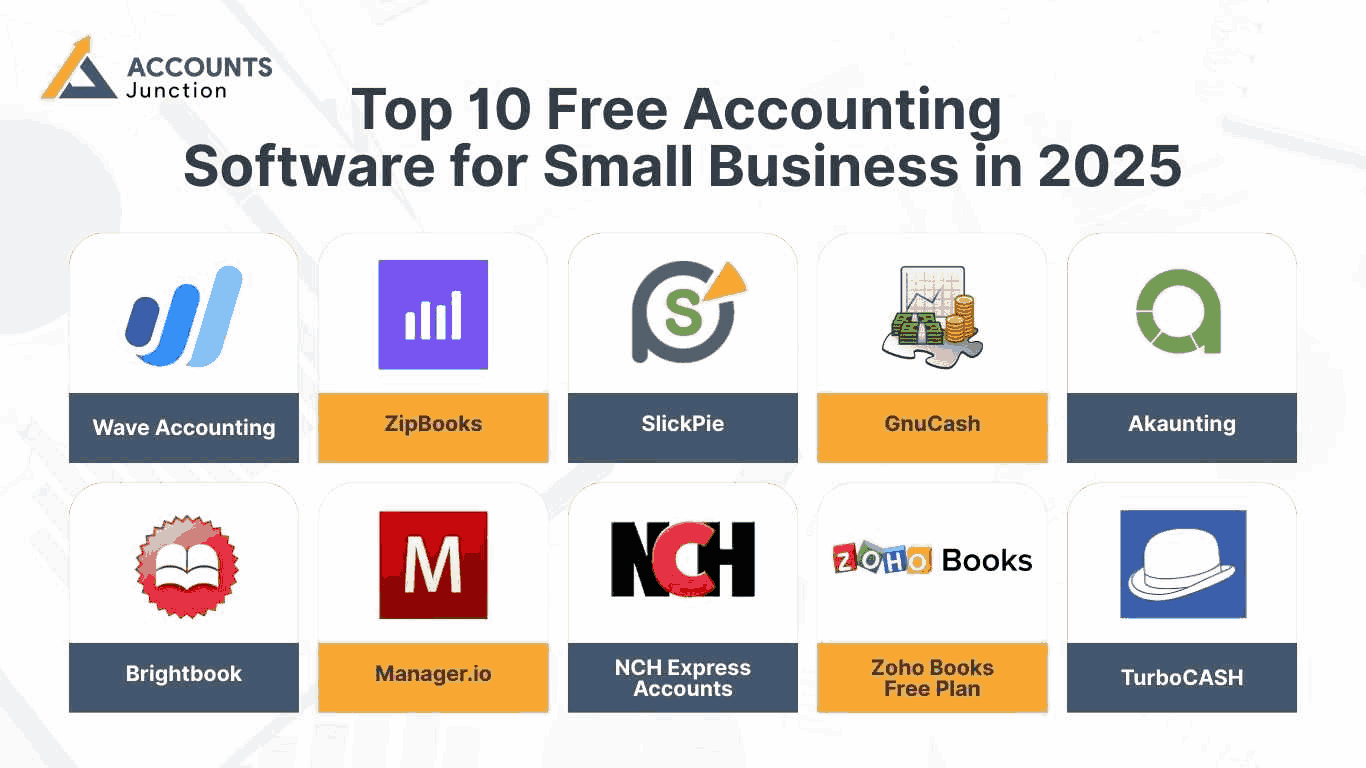
Credit: www.accountsjunction.com
Kashoo
Kashoo is a simple accounting software designed for small businesses and freelancers. It helps users manage their finances without complicated tools. The software focuses on ease of use and clear financial tracking.
It offers basic accounting features and works well for people with little accounting knowledge. Kashoo supports invoicing, expense tracking, and tax preparation. Its clean interface makes managing money less stressful.
Key Features
- Automatic bank transaction import and categorization
- Simple invoicing with customizable templates
- Real-time profit and loss reports
- Expense tracking and receipt capture
- Multi-currency support for global businesses
- Easy tax preparation reports
- Mobile app for accounting on the go
Ideal Users
Small business owners who want simple accounting tools. Freelancers needing quick invoicing and expense tracking. Startups with basic financial management needs. Non-accountants who prefer an easy-to-understand interface. Businesses that require mobile access for accounting tasks.
Pros And Cons
- Pros: User-friendly interface, good for beginners, strong mobile app, automatic bank feeds
- Cons: Limited advanced features, fewer integrations, not ideal for large businesses
Netsuite Erp
NetSuite ERP is a cloud-based accounting software designed for businesses of all sizes. It offers a full suite of tools to manage finances, operations, and customer relationships. This platform helps companies streamline their processes and improve efficiency.
NetSuite ERP integrates various business functions into one system. This integration reduces errors and saves time. It is a popular choice among growing companies and enterprises.
Key Features
- Financial management with real-time data and reporting
- Inventory and order management
- Customer relationship management (CRM) integration
- Project management and billing
- Automated tax compliance and auditing tools
- Customizable dashboards and analytics
- Multi-currency and multi-language support
Ideal Users
NetSuite ERP suits medium to large businesses. Companies needing a full business management system benefit most. Those with complex financial and operational needs find it helpful. Businesses growing quickly or expanding internationally also gain advantages.
Pros And Cons
Pros:
- All-in-one platform for finance and operations
- Cloud-based access from anywhere
- Strong automation reduces manual work
- Scalable for growing businesses
Cons:
- Higher cost compared to simpler software
- Learning curve for new users
- Customization may require expert help
- Not ideal for very small businesses
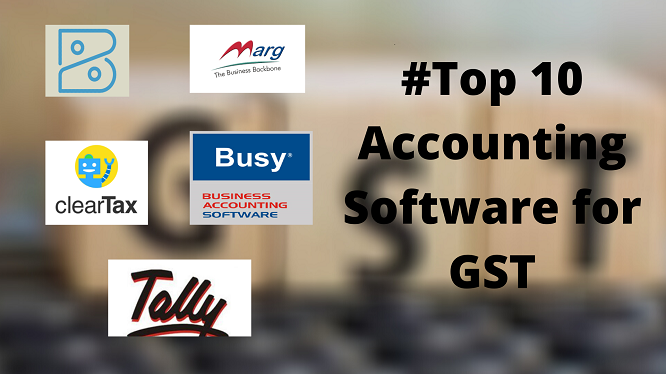
Credit: www.netforchoice.com
Tally Prime
Tally Prime is a popular accounting software designed for businesses of all sizes. It simplifies accounting tasks and makes managing finances easier. Many small and medium businesses trust Tally Prime for its reliability and user-friendly design.
The software supports various accounting activities like invoicing, inventory management, and tax compliance. It helps users keep their financial data organized and accurate. Tally Prime also offers quick reporting tools to track business performance.
Key Features
- Easy data entry with simple interface
- Supports GST and other tax calculations
- Inventory and stock management
- Multi-currency and multi-language support
- Comprehensive financial reports
- Data security with user access control
- Backup and restore options
Ideal Users
Tally Prime suits small and medium businesses best. Accountants and business owners benefit from its clear features. It fits industries like retail, manufacturing, and service sectors. Beginners in accounting find Tally Prime easy to learn. It works well for those needing GST compliance.
Pros And Cons
- Pros: Simple to use, strong tax features, reliable support
- Cons: Limited cloud functionality, outdated design for some users
Accountedge Pro
AccountEdge Pro is a solid choice for small to medium businesses. It offers comprehensive tools for managing finances and payroll. The software works on both Mac and Windows. Its design focuses on ease and functionality.
Users can handle invoices, payments, and inventory in one place. AccountEdge Pro also supports time tracking and payroll. It helps keep business finances organized and clear.
Key Features
- Invoicing with customizable templates
- Expense tracking and bill payments
- Inventory management with real-time updates
- Payroll processing with tax calculations
- Time tracking and job costing
- Reports for profit, loss, and taxes
- Supports multiple users and roles
Ideal Users
Small business owners needing detailed financial control. Accountants helping clients with bookkeeping tasks. Retail stores managing sales and stock. Service businesses tracking time and expenses. Those who want software that works offline and online.
Pros And Cons
- Pros: Easy to use with many features.
- Pros: Good for payroll and inventory.
- Pros: Supports both Mac and Windows.
- Cons: Interface may feel outdated to some.
- Cons: No mobile app available.
- Cons: Can be pricey for very small businesses.
Trends Shaping Accounting Software In 2026
Accounting software is changing fast in 2026. New technologies help businesses work smarter and faster. These changes make accounting easier and more accurate. Many tools now include smart features to save time and reduce mistakes.
Understanding the main trends helps choose the best software. These trends focus on better tools, safety, and flexibility for users. They shape how accounting software works today and in the future.
Ai And Automation
Artificial intelligence improves data entry and analysis. Automation handles repetitive tasks like invoicing and payroll. This cuts down on human errors and speeds up work. AI can also predict cash flow and spot unusual activities.
Cloud-based Solutions
Cloud software stores data online, not on one device. This allows access from anywhere with internet. Updates happen automatically, keeping software current. Cloud solutions also support team collaboration in real time.
Mobile Accessibility
Mobile apps let users manage accounts on smartphones. This adds convenience for busy professionals on the go. Mobile tools offer features like scanning receipts and sending invoices. They keep accounting tasks flexible and easy to handle.
Enhanced Security Measures
Strong security protects sensitive financial data from threats. Software uses encryption and multi-factor authentication for safety. Regular security updates help prevent cyber attacks. Businesses trust software that keeps their data secure.
Tips For Maximizing Accounting Software
Maximizing accounting software helps you save time and avoid errors. Using the software fully improves your business’s financial health. Follow these tips to get the best results from your accounting tools.
Regular Updates
Keep your software updated to access new features and fixes. Updates improve security and prevent bugs. Set automatic updates if the software allows it. Staying current helps your software work smoothly and safely.
Training And Support
Learn how to use your software through tutorials or classes. Understanding the tools cuts down mistakes and speeds up work. Use customer support if you face problems. Help is often available by phone, chat, or email.
Customizing Reports
Create reports that match your business needs. Adjust reports to show the data you want. Custom reports give clear insights into income and expenses. Tailored reports help with better decisions and planning.
Data Backup Strategies
Back up your data regularly to avoid loss. Use cloud storage or external drives for safety. Test your backups to make sure they work. Good backup plans protect your financial information from damage or theft.
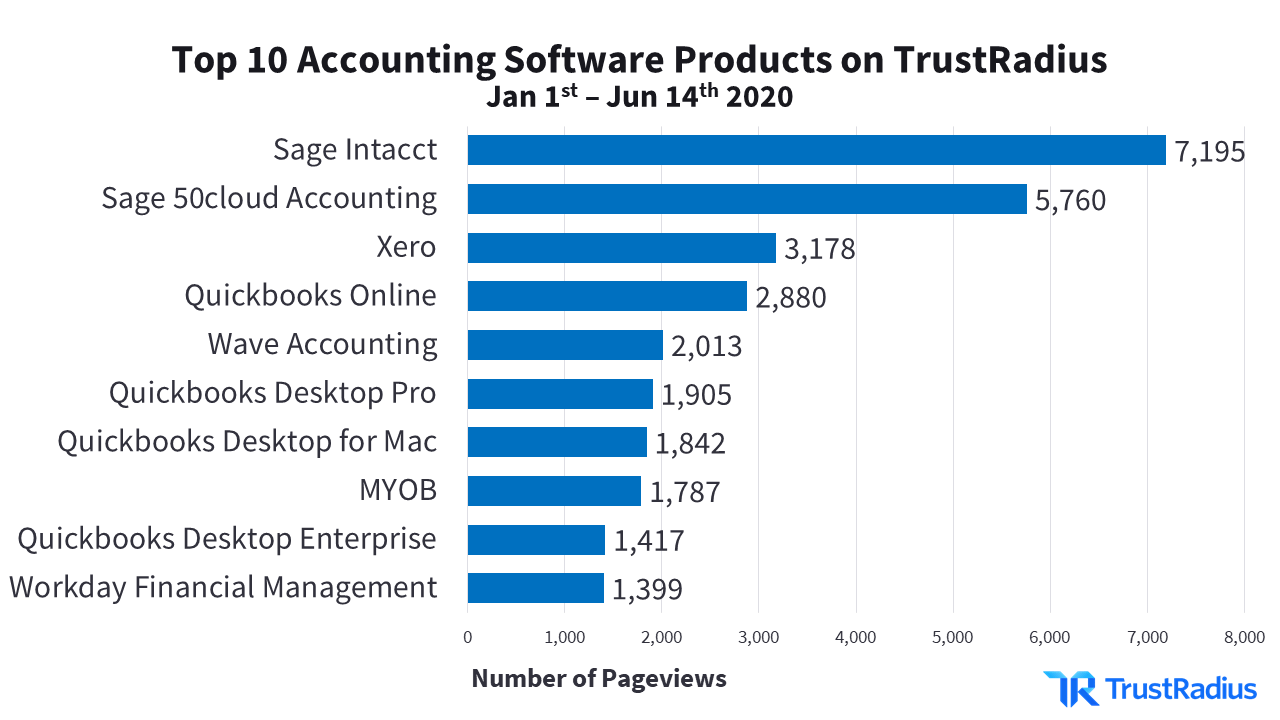
Credit: solutions.trustradius.com
Frequently Asked Questions
What Is The Best Accounting Software For Small Businesses?
The best accounting software for small businesses is easy to use, affordable, and offers essential features like invoicing and expense tracking. Popular options include QuickBooks, Xero, and FreshBooks, known for their user-friendly interfaces and strong customer support.
How Do I Choose The Right Accounting Software?
Choose accounting software based on your business size, budget, and specific needs. Look for features like automation, reporting, and integration with other tools. User reviews and free trials help you make an informed decision.
Are Cloud-based Accounting Software Secure?
Yes, cloud-based accounting software is secure. Providers use encryption, regular backups, and multi-factor authentication to protect your data. Always choose reputable software with strong security measures and compliance certifications.
Can Accounting Software Handle Tax Filing?
Many accounting software options offer tax filing features. They help calculate taxes, generate reports, and sometimes integrate with tax authorities for e-filing. This simplifies the tax process and reduces errors.
Conclusion
Choosing the right accounting software helps manage your finances better. These top 10 options offer different features for various needs. Think about your business size and budget before deciding. Easy-to-use software saves time and reduces errors. Good tools keep your records clear and organized.
Take your time to compare each one carefully. The right choice makes accounting less stressful and more efficient. Trust your needs and pick the software that fits best.





