


Are you ready to unlock the true power of your website? Google Analytics Google is the key tool that can transform how you understand your visitors and grow your online presence.
Imagine knowing exactly what your audience wants, where they come from, and how they interact with your content—all at your fingertips. You’ll discover simple, effective ways to use Google Analytics to boost your website’s performance and make smarter decisions. Keep reading, and take control of your digital success today.
Why Google Analytics Matters
Google Analytics matters because it helps you understand your website visitors. It shows who visits your site and what they do there. This information helps you make better decisions for your business.
Without data, you guess what works and what does not. Google Analytics gives clear facts. These facts help improve your website and grow your audience.
Track Visitor Behavior
Google Analytics tracks how visitors move through your website. It shows which pages they like and which pages they leave fast. This helps you see what interests your visitors most.
Measure Marketing Success
You can see which ads or posts bring visitors to your site. This helps you spend money on marketing that works. Stop wasting money on ads that do not bring visitors.
Improve User Experience
Google Analytics shows how fast your pages load and if visitors have problems. Fixing these issues makes visitors stay longer. Happy visitors are more likely to buy or follow you.
Understand Your Audience
Learn the age, location, and devices of your visitors. This helps you create content that fits their needs. Tailored content keeps visitors coming back.
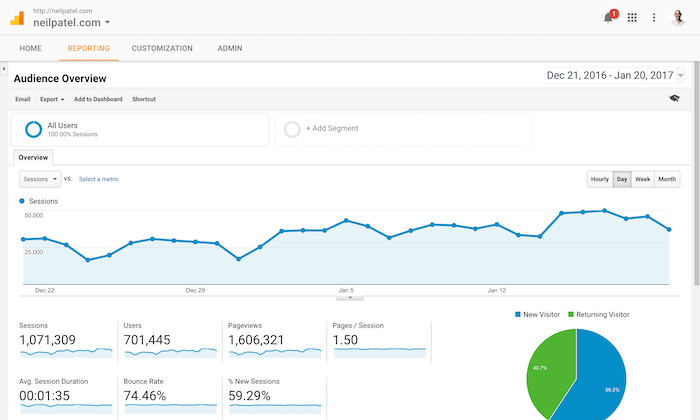
Credit: neilpatel.com
Setting Up Google Analytics
Setting up Google Analytics is essential for understanding your website traffic. It helps you track visitors, see how they interact, and measure your marketing efforts.
This process has three main steps: creating an account, installing the tracking code, and configuring goals and events. Each step is simple but important for accurate data collection.
Creating An Account
Start by visiting the Google Analytics website. Click on the “Start for free” button. Use your Google account to sign in or create a new one. Next, enter your website name and URL. Choose your industry category and reporting time zone. Finally, accept the terms and conditions to create your account.
Installing Tracking Code
After account creation, Google Analytics provides a tracking code. This code must be added to every page of your website. Copy the code snippet. Paste it into the HTML of your website, just before the closing tag. This code collects visitor data and sends it to your Analytics account.
Configuring Goals And Events
Goals help measure important actions on your site. Examples include form submissions or purchases. In your Analytics dashboard, go to Admin and select Goals. Click “New Goal” and choose a template or custom option. Fill in the details like goal type and destination URL.
Events track specific interactions, such as button clicks or video plays. Set up events using Google Tag Manager or by adding code to your site. Proper goal and event setup gives deeper insight into user behavior.
Key Metrics To Track
Google Analytics offers many metrics to help understand your website’s performance. Tracking the right metrics guides better decisions. It shows what works and what needs change.
Focus on key metrics that reveal user actions, traffic origins, and success in reaching goals. These insights improve your website and marketing efforts.
User Behavior
User behavior metrics show how visitors interact with your site. They include page views, session duration, and bounce rate. These numbers tell if users find your content useful. A high bounce rate means visitors leave quickly. Low session time shows little engagement. Tracking these helps you improve site layout and content.
Traffic Sources
Traffic sources reveal where your visitors come from. They can be search engines, social media, direct visits, or referrals. Knowing this helps focus marketing on the best channels. Organic search traffic shows how well your SEO works. Social traffic indicates your social media reach. Paid traffic shows if your ads attract visitors.
Conversion Rates
Conversion rate measures how many visitors complete a desired action. This could be buying a product, signing up, or downloading a file. A higher conversion rate means your site convinces users to act. Tracking this metric helps improve calls to action and user experience. It also shows if marketing efforts bring real results.
Custom Reports And Dashboards
Google Analytics offers tools to create Custom Reports and Dashboards. These tools help you see the data that matters most. You can focus on specific information without distraction. Custom Reports and Dashboards save time and improve decision-making.
Building Custom Reports
Custom Reports let you choose the data you want to see. Pick dimensions and metrics that fit your goals. For example, track traffic sources or user behavior easily. You can create multiple reports for different needs. Save these reports to check progress anytime. The interface is simple and user-friendly. No need for technical skills to build useful reports.
Using Dashboards For Quick Insights
Dashboards show key data in one place. Add widgets to display charts, tables, or maps. Dashboards update automatically with new data. They offer a fast overview of your website’s health. Use dashboards to spot trends or issues quickly. Customize dashboards for your team or clients. Dashboards make data easy to understand at a glance.
Advanced Features
Google Analytics offers advanced features that help you understand your website visitors better. These tools provide detailed insights that go beyond basic traffic data. They help you see who your audience is and what they do on your site. This information can improve your marketing and website performance.
Audience Segmentation
Audience segmentation divides your visitors into smaller groups. You can group them by age, location, behavior, and device. This helps identify which segments perform best. Marketers can create targeted campaigns for each group. It improves user experience and increases conversions.
E-commerce Tracking
E-commerce tracking shows detailed data about online sales. It tracks product views, add-to-cart actions, and purchases. You learn which products sell well and which do not. This data helps optimize your online store. You can spot trends and improve your sales strategy.
Integration With Google Ads
Google Analytics links directly with Google Ads accounts. This connection shows how ads drive traffic and sales. You see which ads perform well and which waste budget. It helps refine your advertising efforts. Better ad targeting leads to higher return on investment.
Credit: verticalresponse.com
Common Mistakes To Avoid
Google Analytics is a powerful tool. It helps track website traffic and user behavior. Many users make simple mistakes. These errors can lead to wrong data and poor decisions. Avoiding common mistakes improves your analytics accuracy. It also saves time and effort.
Incorrect Tracking Code Installation
Placing the tracking code in the wrong spot is common. The code must be in the header or right before the body tag. Without proper placement, data won’t collect correctly. Check the code on all pages to ensure it works.
Ignoring Filters And Spam Traffic
Spam traffic can distort your reports. It creates fake visits and inflates numbers. Setting filters to exclude spam is essential. Use filters to block internal traffic from your team as well.
Not Setting Goals And Conversions
Google Analytics tracks visits but not goals by default. Defining goals helps measure success. Set goals for purchases, sign-ups, or downloads. It shows which parts of your site perform well.
Overlooking Site Search Tracking
Site search data reveals what visitors look for. Not enabling site search tracking misses this insight. Activate it to learn user intent and improve site navigation.
Misinterpreting Bounce Rate
Bounce rate shows single-page visits. A high bounce rate is not always bad. It depends on the page purpose. Analyze bounce rate with other metrics to understand user behavior better.
Tips To Maximize Growth
To grow your website or business, smart use of Google Analytics is key. It helps you see what works and what does not. This way, you can focus on actions that bring results. Simple steps can lead to big improvements.
Use data wisely and keep testing your ideas. This helps you learn and improve fast. Here are some tips to get the most from Google Analytics for growth.
Data-driven Decision Making
Google Analytics shows clear numbers about your visitors and their actions. Use this data to guide your choices. Look at which pages get the most visits. Find out where users leave your site. This information tells you what needs fixing or changing.
Track goals like sales, sign-ups, or downloads. Focus on improving these key actions. Avoid guessing. Let the data lead your plans and strategies.
Continuous Testing And Optimization
Try new ideas on your site and check the results. Use Google Analytics to compare changes over time. Test different headlines, images, or offers. See which ones attract more visitors or keep them longer.
Make small changes often. This helps you find better ways to grow. Keep learning from your tests. Adjust your site based on real feedback from your data.
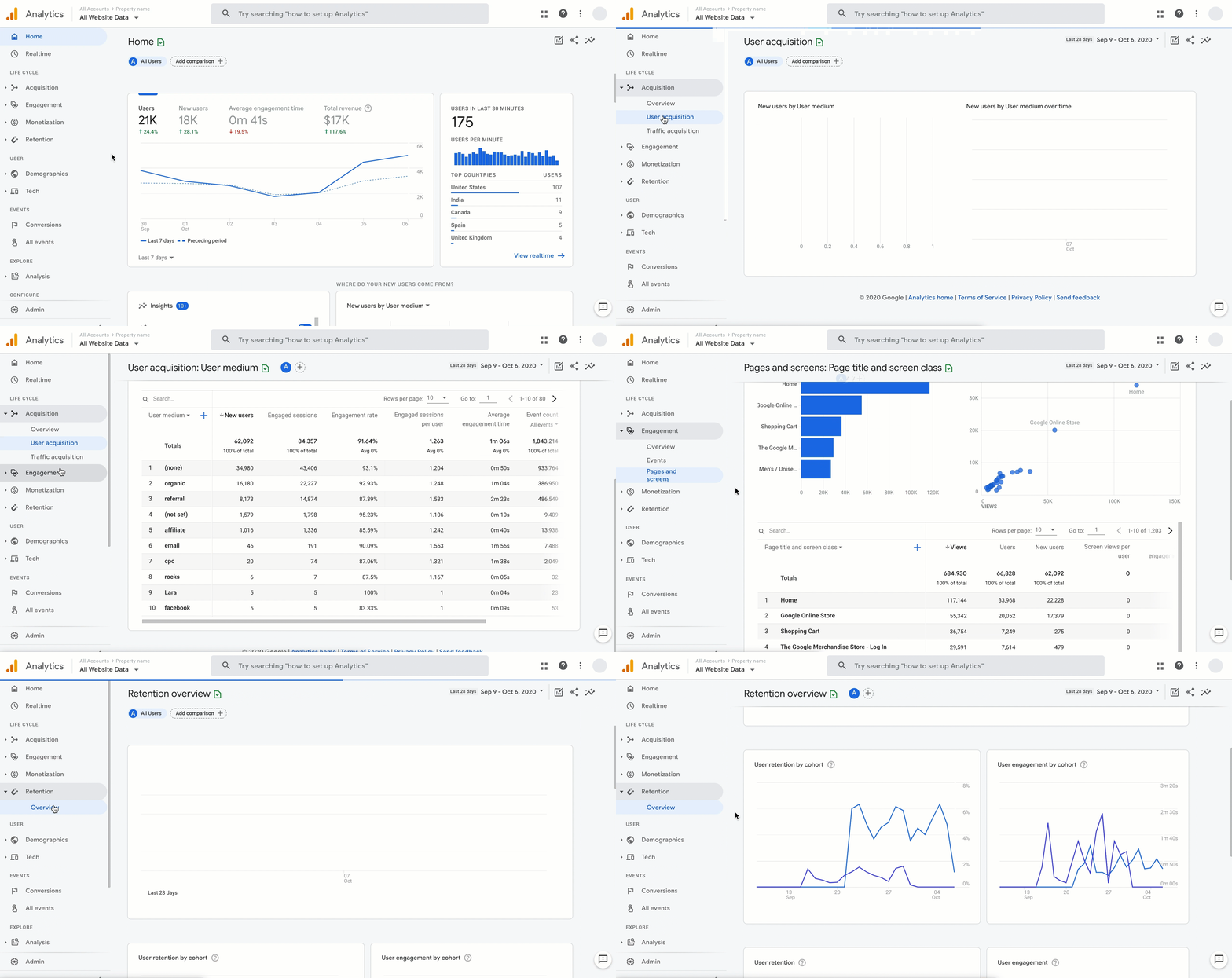
Credit: blog.google
Frequently Asked Questions
What Is Google Analytics Used For?
Google Analytics tracks and reports website traffic. It helps understand user behavior, measure marketing effectiveness, and improve site performance.
How Does Google Analytics Benefit Businesses?
It provides insights into customer demographics, traffic sources, and user engagement. This data helps businesses make informed marketing decisions.
Can Google Analytics Track Mobile App Data?
Yes, Google Analytics can track mobile app usage, user interactions, and app performance across Android and iOS platforms.
Is Google Analytics Free To Use?
Google Analytics offers a free version with robust features suitable for small to medium websites. Paid versions provide advanced tools.
Conclusion
Google Analytics helps track website visitors and their behavior. It shows what works and what needs change. Using its data, you can improve your site and reach more people. The tool is free and easy to start. Regular checks keep your site updated and user-friendly.
Start small, learn daily, and watch your website grow steadily.





