


Are you struggling to make sense of your business’s financial data? Generating clear, accurate financial reports can seem complicated and time-consuming.
But what if you could simplify this process and gain valuable insights with just a few clicks? Using finance software, you have the power to create detailed reports that help you understand your money better and make smarter decisions. You’ll discover easy steps to generate financial reports quickly and confidently, turning confusing numbers into clear, actionable information.
Keep reading to take control of your finances like never before.
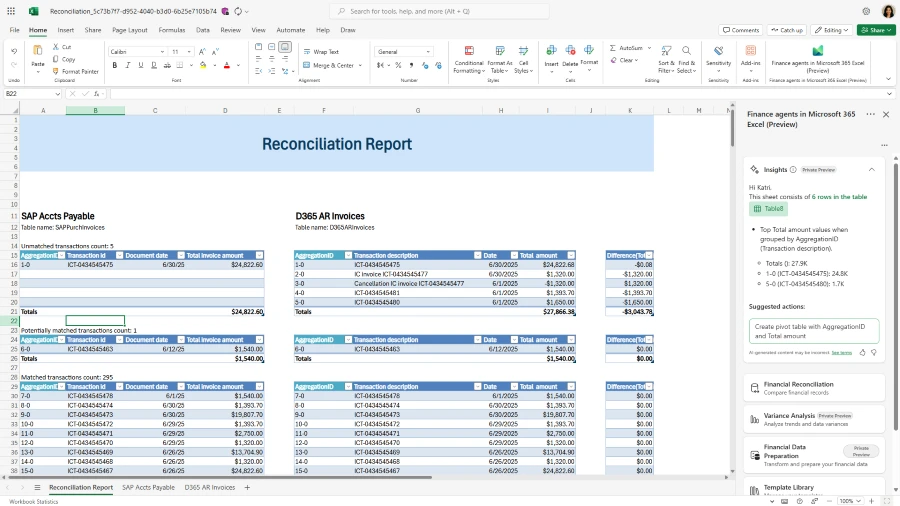
Credit: www.microsoft.com
Choosing The Right Finance Software
Key features in finance software help create clear financial reports. Look for easy data entry, automatic calculations, and customizable report templates. Software with real-time data updates makes tracking finances faster and more accurate. Strong security measures protect sensitive information. Also, choose software that supports multiple currencies if needed.
Popular finance software options include QuickBooks, Xero, and FreshBooks. These programs offer user-friendly interfaces and useful tools. Each one has different strengths, so check which fits your needs.
| Type | Advantages | Disadvantages |
|---|---|---|
| Cloud-Based | Access from anywhere, automatic updates, easy collaboration | Needs internet, possible subscription fees |
| Desktop | Works offline, one-time purchase, full control of data | Limited to one device, manual updates |
Setting Up Your Account
Start by entering your basic company details. This includes your business name, address, and tax ID. Accurate information helps the software create correct reports.
Next, connect your bank accounts. This lets the software automatically track transactions. Linking accounts saves time and reduces errors.
Set up user permissions to control who can see and edit data. Assign roles like admin, viewer, or editor. This keeps your financial data secure and organized.
Entering Financial Data
Recording transactions is the first step in entering financial data. Each sale, purchase, or payment must be logged accurately. This keeps your records clear and helps track money flow.
Categorizing expenses and income makes reports easier to read. Group similar items like rent, utilities, or sales. This shows where money goes and where it comes from. Clear categories help in spotting trends and saving money.
Importing data from other systems saves time. Finance software often allows uploading files from banks or other programs. This reduces manual entry and errors. Check the format and map data correctly to your software fields before importing.
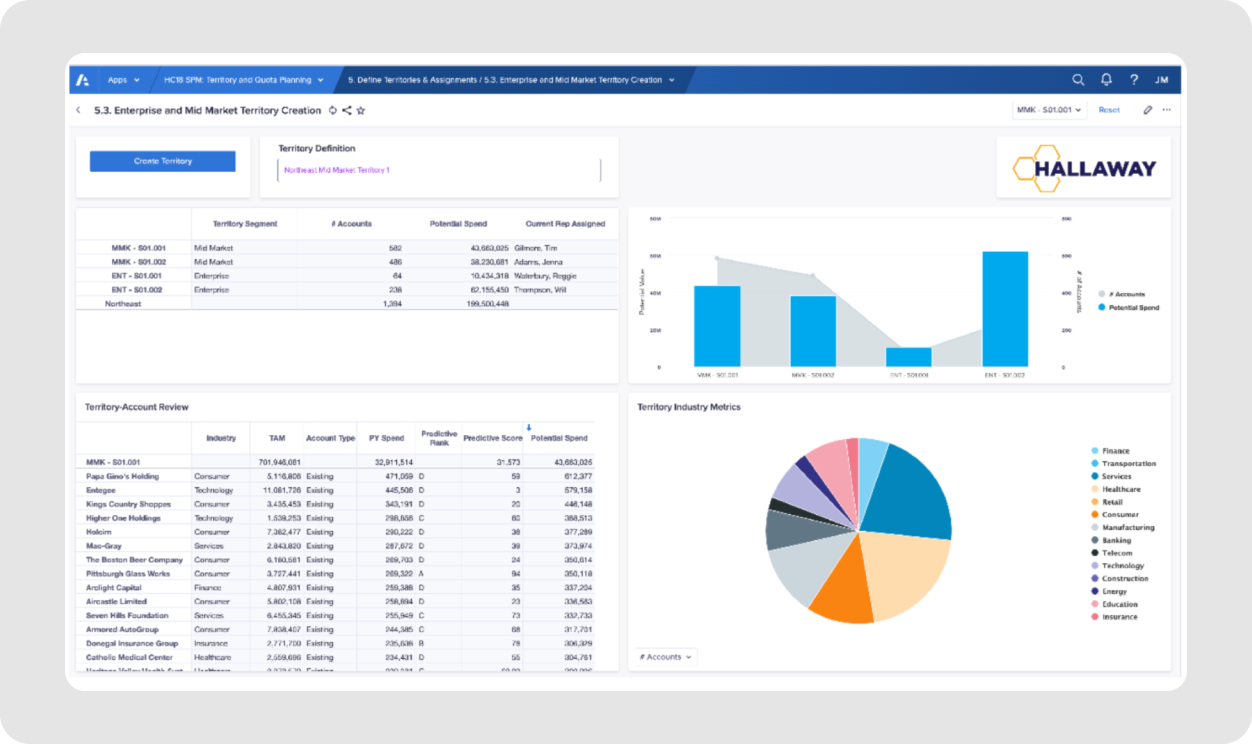
Credit: fuelfinance.me
Generating Standard Financial Reports
Profit and Loss Statement shows the company's income and expenses. It helps to see if the business made a profit or loss during a time period.
Balance Sheet lists what the company owns and owes. It shows assets, liabilities, and owner's equity at a specific date.
Cash Flow Statement tracks money coming in and going out. It tells if the company has enough cash to pay bills and invest.
| Report Type | Purpose | Key Elements |
|---|---|---|
| Profit and Loss | Measures income and expenses | Revenue, Costs, Net Profit/Loss |
| Balance Sheet | Shows financial position | Assets, Liabilities, Equity |
| Cash Flow | Tracks cash movement | Operating, Investing, Financing Cash Flows |
Customizing Reports
Selecting the right date range helps focus on specific time periods. Choose daily, weekly, monthly, or yearly spans. This makes reports more useful and easier to understand.
Adding filters and segments narrows down data. Filter by categories like departments, products, or locations. Segments help compare groups side-by-side. This shows clearer details in the report.
Exporting reports in formats like PDF or Excel allows easy sharing. Share reports via email or upload to cloud storage. This keeps teams informed and data accessible anytime.
Automating Report Generation
Finance software helps create scheduled reports automatically. You can set the time and frequency for reports. This saves time and avoids manual errors.
Email notifications send reports directly to your inbox. You get updates without logging into the software. This keeps you informed and ready to act.
| Feature | Benefit |
|---|---|
| Scheduled Reports | Automatic report delivery on set times |
| Email Notifications | Instant alerts with report summaries |
| Integration with Other Tools | Share data with accounting and CRM software |
Integration with other tools helps combine data smoothly. This makes reports more useful. You can connect with accounting or CRM software easily.
Troubleshooting Common Issues
Data discrepancies often happen due to incorrect input or syncing errors. Double-check the source files and ensure all data is up to date. Clear cache and refresh reports to fix minor mismatches.
Software errors may cause crashes or slow performance. Restart the software and update to the latest version. Reinstall the program if problems continue.
User access problems can block report generation. Verify user permissions and roles within the software settings. Contact the system administrator to reset passwords or change access rights.

Credit: www.ibm.com
Frequently Asked Questions
What Is Finance Software For Generating Reports?
Finance software automates the creation of financial reports. It simplifies data collection, analysis, and presentation. This saves time and improves accuracy. Users can generate balance sheets, income statements, and cash flow reports quickly. The software enhances decision-making with real-time financial insights.
How Do I Create Financial Reports Using Software?
Start by importing your financial data into the software. Choose the report type you need, like profit and loss or cash flow. Customize report parameters such as date ranges. The software processes data and generates detailed, easy-to-understand reports. Export or print reports as needed for analysis.
Can Finance Software Improve Report Accuracy?
Yes, finance software reduces human errors by automating calculations and data entry. It ensures consistent data formatting and validation. This leads to more reliable financial reports. Automated alerts highlight anomalies or missing data. Overall, it enhances confidence in financial decision-making.
Which Financial Reports Are Essential To Generate?
Key reports include the balance sheet, income statement, and cash flow statement. These provide insights into assets, liabilities, revenues, expenses, and liquidity. Generating these reports regularly helps monitor business health and compliance. Finance software often offers templates for these essential reports.
Conclusion
Generating financial reports with finance software saves time and reduces errors. You can easily track income, expenses, and profits. The software helps organize data clearly and quickly. Regular reports improve decision-making and business planning. Choose software that fits your needs and skills.
Practice using its features for better results. Financial reports become less stressful and more accurate. Start using finance software to simplify your financial tasks today.





