


Are you wondering if Microsoft Office includes an accounting software to manage your finances? You’re not alone.
Many people look to Microsoft Office for powerful tools and expect it to cover everything from word processing to bookkeeping. But does it really have what you need to keep your accounts in order? You’ll discover the truth about Microsoft Office and its capabilities for accounting.
By the end, you’ll know exactly where to turn to handle your financial tasks efficiently. Keep reading—your business and peace of mind depend on it.
Microsoft Office And Accounting
Microsoft Office is a popular set of tools used in many offices worldwide. People often ask if it includes accounting software. The answer is not straightforward. Microsoft Office itself does not have full accounting software like QuickBooks or Sage. But it has features that help with basic financial tasks. These tools can support small business owners or freelancers managing their money.
Office Suite Overview
Microsoft Office includes apps like Word, Excel, and Outlook. Excel is the most useful for financial work. It allows users to create spreadsheets, track expenses, and manage budgets. Word helps write reports and financial documents. Outlook manages emails and calendars, useful for billing reminders or appointments.
None of these apps are designed as dedicated accounting software. They lack features like automatic tax calculations or invoice management found in specialized tools. Still, their flexibility makes them useful for simple accounting tasks.
Built-in Financial Tools
Excel offers many templates for financial management. Users find budget planners, expense trackers, and invoice templates. These templates save time and provide a structure for financial data. Formulas and charts in Excel help analyze income and costs clearly.
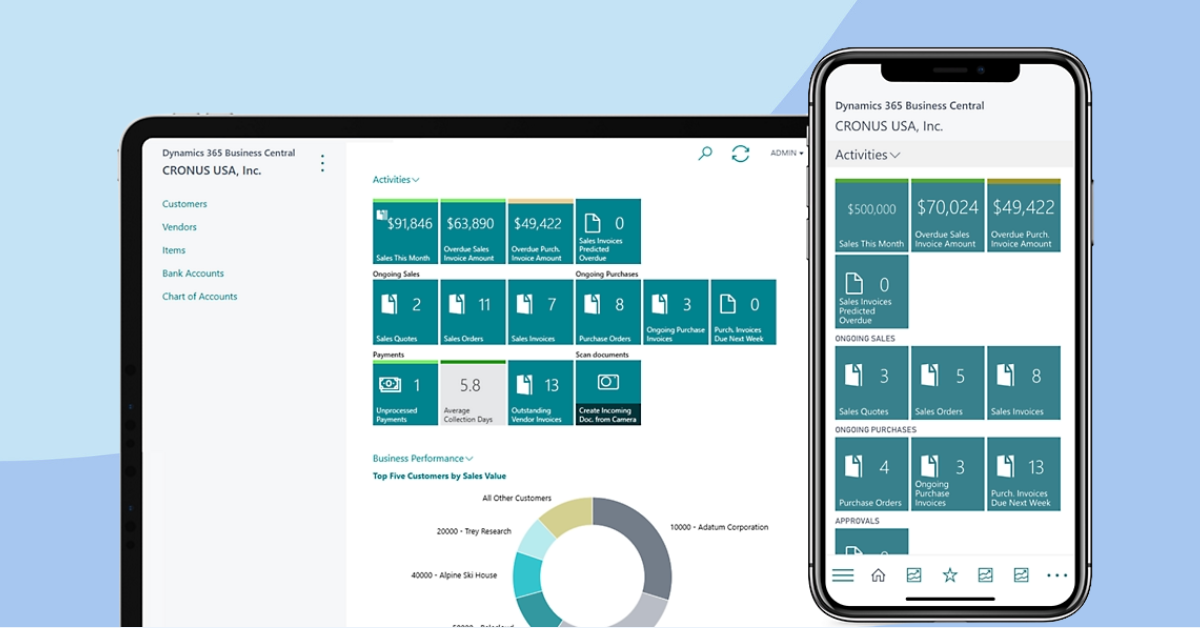
Microsoft Office also supports add-ins. Some add-ins add financial functions or connect Excel to accounting services. These can extend Office’s basic financial capabilities. Yet, they do not replace full accounting software for complex business needs.
Credit: thehbpgroup.co.uk
Excel For Accounting Tasks
Microsoft Excel is a popular tool for many accounting tasks. It offers flexibility and power for managing financial data. Small businesses and individuals often use Excel to handle budgets, invoices, and reports.
Excel does not have built-in accounting software like some specialized programs. Still, it provides many features that help with accounting jobs. Users can create custom solutions tailored to their needs.
Templates For Accounting
Excel includes many pre-made templates for accounting tasks. These templates save time and effort. You can find templates for expense tracking, invoicing, and balance sheets. They are easy to use and modify. Templates help beginners start accounting without building spreadsheets from scratch.
Custom Spreadsheets
Excel allows users to build custom spreadsheets. You can design sheets to track income, expenses, and cash flow. Custom spreadsheets adapt to your business size and type. Formulas and charts make data easy to understand. This flexibility suits different accounting methods and preferences.
Basic Financial Functions
Excel has many built-in financial functions. These include SUM, AVERAGE, and IF statements. They help calculate totals, averages, and conditional results. Functions like PMT assist with loan and payment calculations. Using these tools, users can analyze financial data quickly and accurately.
Third-party Accounting Software Integration
Microsoft Office does not have built-in accounting software. Many users rely on third-party tools that work with Office programs. These add-ins help track finances and manage accounts easily. They connect with Excel or Outlook to offer more functions. This integration saves time and reduces errors.
Popular Add-ins
Several popular accounting add-ins fit well with Microsoft Office. For example, QuickBooks integrates with Excel to import and export data. Xero offers tools to sync financial records with Outlook. Sage Business Cloud links with Office apps for invoicing and payments. These add-ins provide basic to advanced accounting features.
Compatibility And Support
Most third-party accounting software supports the latest Office versions. They work on both Windows and Mac systems. Regular updates ensure smooth performance and security. Customer support is available for installation and troubleshooting. Always check system requirements before installing any add-in.

Credit: www.deluxe.com
Alternatives To Microsoft Office For Accounting
Microsoft Office does not include built-in accounting software. Many users need tools made just for managing money and business accounts. Several alternatives offer features that Microsoft Office lacks. These options help with invoicing, tracking expenses, and financial reporting. They also save time and reduce errors.
Dedicated Accounting Software
Dedicated accounting software focuses only on financial tasks. It provides tools for bookkeeping, payroll, and tax calculations. These programs are easy to use for small businesses and freelancers. Popular examples include QuickBooks and Sage. They allow users to generate detailed reports and manage cash flow. This software often supports multiple currencies and tax systems. It helps keep financial data organized and secure.
Cloud-based Solutions
Cloud-based accounting solutions work online through a web browser. Users can access data from any device with internet access. These tools offer real-time updates and automatic backups. Examples include Xero and FreshBooks. Cloud software often integrates with other business apps. It supports collaboration among team members and accountants. Updates and new features arrive without user effort. Cloud solutions reduce the need for IT maintenance and expensive hardware.
Choosing The Right Tool
Choosing the right accounting software matters. It can save time and reduce errors. The right tool fits your business and your budget. It should be easy to use and reliable. This section explores key points to consider.
Business Size And Needs
Small businesses need simple tools with basic features. Larger companies require more advanced options. Think about the number of transactions and users. Also, consider features like payroll and inventory. Matching software to your business size is vital.
Cost Considerations
Software prices vary widely. Some offer monthly plans, others require one-time payments. Look for tools that fit your budget. Avoid paying for features you won’t use. Free trials can help test without risk.
Ease Of Use
Choose software that is easy to learn. A clear interface reduces mistakes. Good support and tutorials are helpful. Complex software may slow down your work. Simplicity saves time and frustration.
Credit: softwareg.com.au
Frequently Asked Questions
Does Microsoft Office Include Built-in Accounting Software?
No, Microsoft Office does not include dedicated accounting software. It offers tools like Excel for basic financial tasks but lacks full accounting features.
Can Excel Be Used For Accounting Purposes?
Yes, Excel can manage simple accounting tasks using templates and formulas. However, it is not a substitute for specialized accounting software.
What Microsoft Tools Assist With Accounting Tasks?
Microsoft Excel and Access help organize financial data and generate reports. They support accounting but require manual setup and expertise.
Is Microsoft Office Suitable For Small Business Accounting?
Microsoft Office alone is limited for small business accounting. Specialized software like QuickBooks or Xero is better suited for comprehensive financial management.
Conclusion
Microsoft Office does not include dedicated accounting software. Users may find Excel useful for basic accounting tasks. For complex needs, specialized accounting programs work better. Small businesses often choose software designed specifically for finance. Microsoft offers some finance templates, but they have limits.
Choosing the right tool depends on your accounting goals. Simple tracking can be done with Office tools. For detailed reports and tax help, use accounting software. This ensures accuracy and saves time. Consider your needs before deciding which option fits best.





